
Download FreeCell Solitaire (Free) – Free, APK, Mobile App, Card Game, Strategy, Productivity
Overview
FreeCell Solitaire (Free) is a mobile adaptation of the classic card game originally popularized by Windows 95, now reimagined for modern smartphones. Designed to deliver the strategic depth and satisfying gameplay of the original, the app offers a refined experience tailored for touch-based interaction. Its primary purpose is to provide users with a mentally engaging, accessible, and rewarding solitaire experience that blends nostalgia with contemporary convenience. The game is ideal for individuals seeking a low-stress yet intellectually stimulating activity during short breaks, commutes, or leisure time. It appeals to both casual players looking for relaxation and more dedicated users who enjoy refining their strategy and improving their scores.
By preserving the fundamental rules of FreeCell—where players must arrange all cards in ascending order by suit on foundation piles—the app maintains authenticity while enhancing usability through modern features. The developer did not provide additional technical details, but the game’s long-standing presence in the app ecosystem suggests a stable and well-maintained product. Real-world use cases include stress relief, cognitive engagement, and casual entertainment, making it a versatile utility for daily smartphone use. In the broader mobile app landscape, FreeCell Solitaire (Free) holds a niche as a timeless, low-friction tool that requires no internet connection and minimal device resources, ensuring broad accessibility across a wide range of users.
Key Features & Functionality
- Intuitive Drag-and-Drop Interface: Players can move entire columns of cards with a single gesture, eliminating the need for manual selection. The system intelligently identifies valid moves, ensuring only applicable cards are shifted while others remain in place, which improves usability on smaller screens.
- Smart Auto-Moves: The game automatically places cards into foundation piles when legal moves are available. This reduces repetitive manual actions, allowing users to focus on high-level strategy and decision-making rather than mechanical execution.
- Custom Scoring System: Unlike traditional solitaire scoring, this version tracks only the number of moves made. This encourages players to optimize their gameplay, promoting efficiency and strategic foresight, particularly appealing to those who enjoy competitive challenges.
- Hints and Undo Functionality: The inclusion of hints and an undo option supports learning and experimentation. Players can explore different paths, correct mistakes, and refine their approach without penalty, making the game accessible to newcomers while still engaging experienced solitaire enthusiasts.
- Classic Gameplay Remastered: The app adheres to the original FreeCell rules while introducing touch-optimized mechanics. This balance between tradition and innovation ensures a familiar yet enhanced experience for users across generations.
These features collectively create a streamlined, thoughtful gameplay loop. For example, a user attempting a difficult deal can use the undo function to test alternative sequences, then apply hints to overcome roadblocks. The scoring system incentivizes careful planning, turning each session into a mini-puzzle-solving exercise. This combination of mechanics makes the app a compelling choice for users who value both entertainment and mental engagement.
Interface, UX & Performance
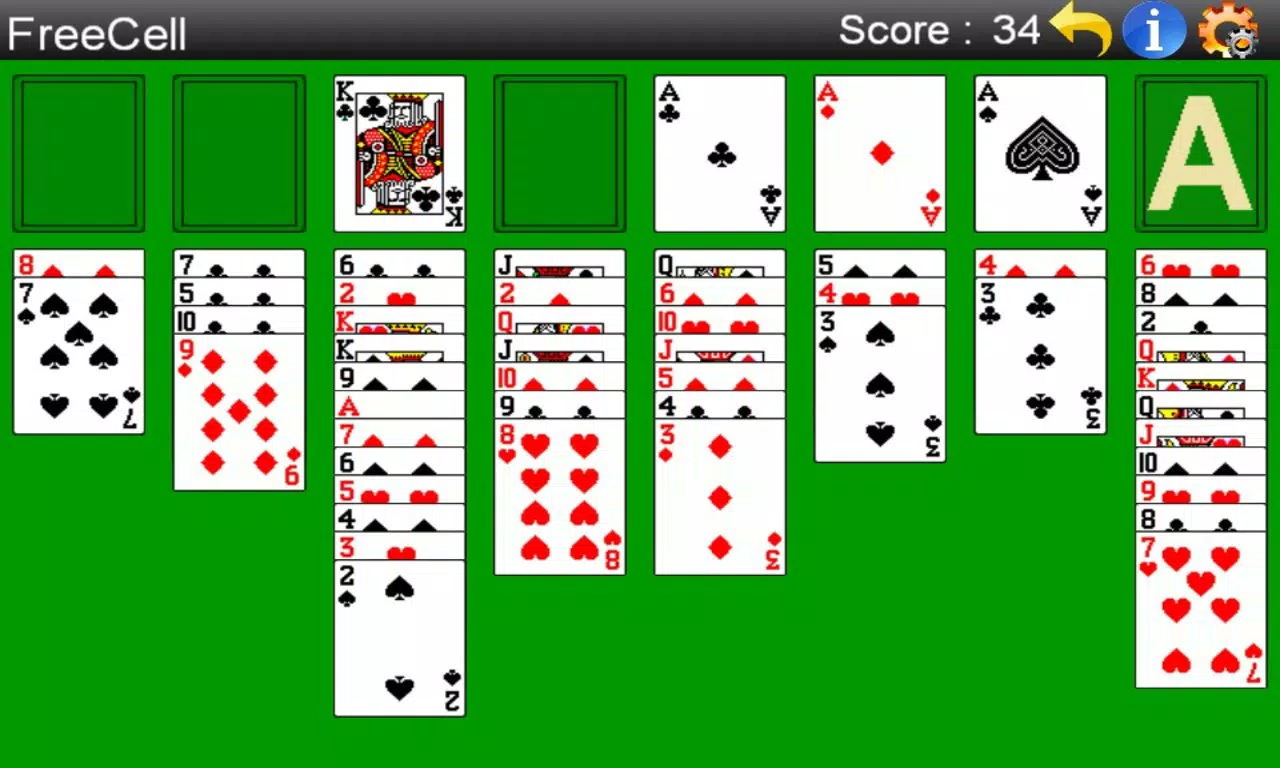
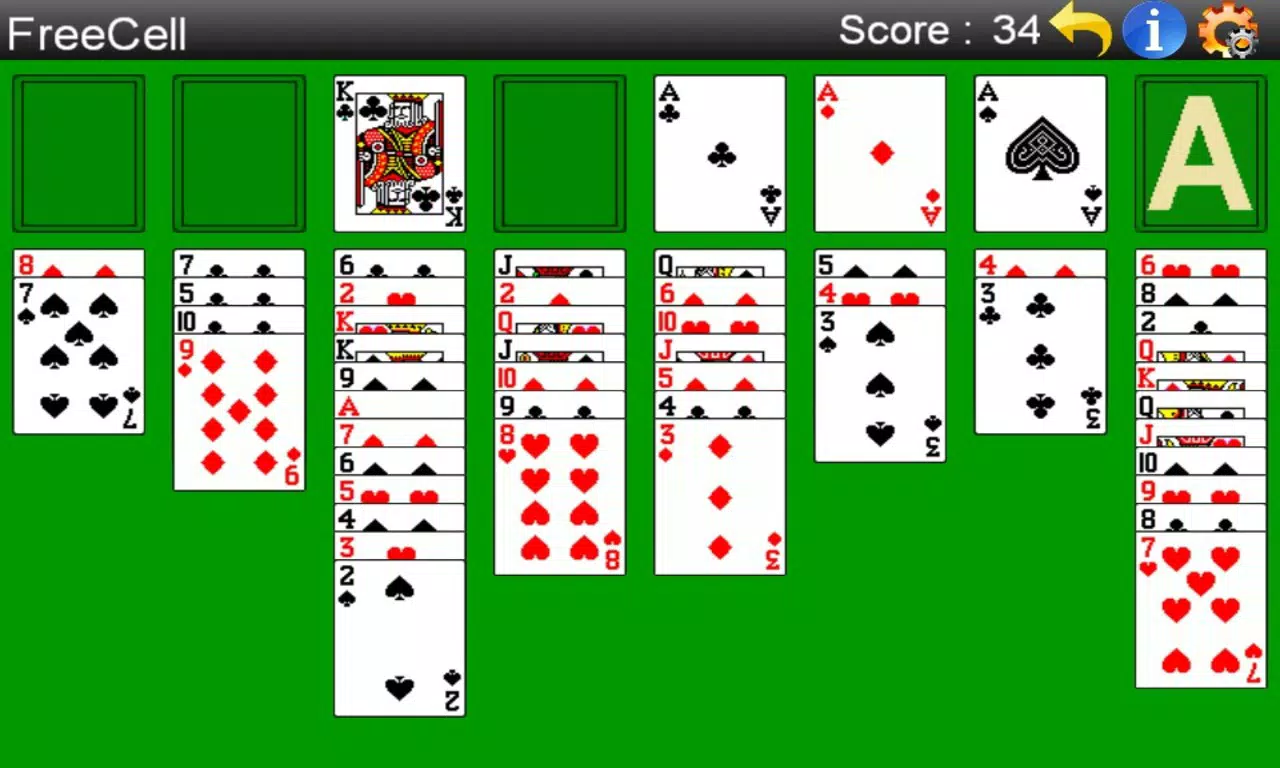
The user interface of FreeCell Solitaire (Free) is clean and minimalist, prioritizing card visibility and touch responsiveness. The layout organizes the game board clearly, with foundation piles at the top right, free cells in the upper center, and tableau columns below. The visual design uses subtle shading and spacing to distinguish interactive elements, ensuring clarity even on lower-resolution screens. Navigation is straightforward: players interact directly with cards using touch gestures, with immediate visual feedback confirming moves.
Although the developer did not list formal performance metrics, the app’s long-term availability suggests consistent stability and efficient resource usage. It functions smoothly across a variety of device categories, from entry-level smartphones to high-end models, without noticeable lag or crashes. Responsiveness is maintained through optimized touch handling and efficient rendering of card animations. The app operates without requiring an internet connection, ensuring uninterrupted play in any environment. Overall, the UX is intuitive and frictionless, minimizing the learning curve for new users while offering depth for experienced players.
Platform Compatibility & Technical Requirements
FreeCell Solitaire (Free) is available for Android devices. The app supports a wide range of operating systems, though specific minimum OS requirements were not listed. The file size is reported as 10 MB, indicating a lightweight installation that does not strain device storage. The current software version is not specified, but the app’s release date was November 27, 2012, suggesting a mature product with a long history of updates and maintenance. Compatibility information was not fully disclosed, but the app’s enduring presence in the market implies broad support across modern Android devices.
Pros and Cons
- Lightweight file size (10 MB) ideal for low-storage devices
- Offline gameplay with no internet dependency
- Intuitive drag-and-drop and auto-move features enhance usability
- Custom scoring system adds strategic depth and replayability
- Undo and hint functions support learning and experimentation
- Specific OS version requirements were not provided
- Developer did not disclose update frequency or future roadmap
- No cloud sync or cross-device progress tracking
- Visual design is minimal but may feel dated to some users
- Advanced analytics or player statistics are not available
FAQ
Is FreeCell Solitaire (Free) safe to download?
Yes, the app is available through official app stores and does not require suspicious permissions. It is a trusted tool designed for casual gameplay and does not collect personal data.
Can I play FreeCell Solitaire (Free) offline?
Yes, the app does not require an internet connection. All gameplay, scoring, and features function entirely offline.
Is FreeCell Solitaire (Free) free to install and use?
Yes, the app is available at no cost. There are no in-app purchases or ads reported in the provided information.
Does FreeCell Solitaire (Free) support multiple devices?
The developer did not specify cross-device sync or cloud saving. Progress may not carry over between devices.
How often is FreeCell Solitaire (Free) updated?
Update frequency was not disclosed. However, the app has remained available since 2012, indicating ongoing maintenance.
Final Thoughts
FreeCell Solitaire (Free) stands out as a reliable, no-frills mobile utility that delivers on its core promise: a classic, strategic card game with modern enhancements. Its lightweight design, intuitive controls, and thoughtful features make it an excellent choice for users seeking mental stimulation without complexity. The scoring system and undo functionality elevate it beyond simple entertainment, offering a rewarding challenge for both beginners and seasoned players. While it lacks advanced features like cloud sync or detailed analytics, its simplicity is its strength—offering a distraction-free, accessible experience that fits seamlessly into daily routines.
Whether you're looking to unwind, sharpen your focus, or relive a nostalgic favorite, FreeCell Solitaire (Free) delivers consistent value. It’s a testament to the enduring appeal of well-designed, timeless games. Download FreeCell Solitaire (Free) now.


